 mylmuhub
The pitwall for Le Mans Ultimate
A full-screen race dashboard for your second monitor, your race pace against the alien times, endurance strategy that follows the race live, and your team. One app, no SimHub.
- Reads the game directly: no plugins
- Light on your PC
- Updates itself
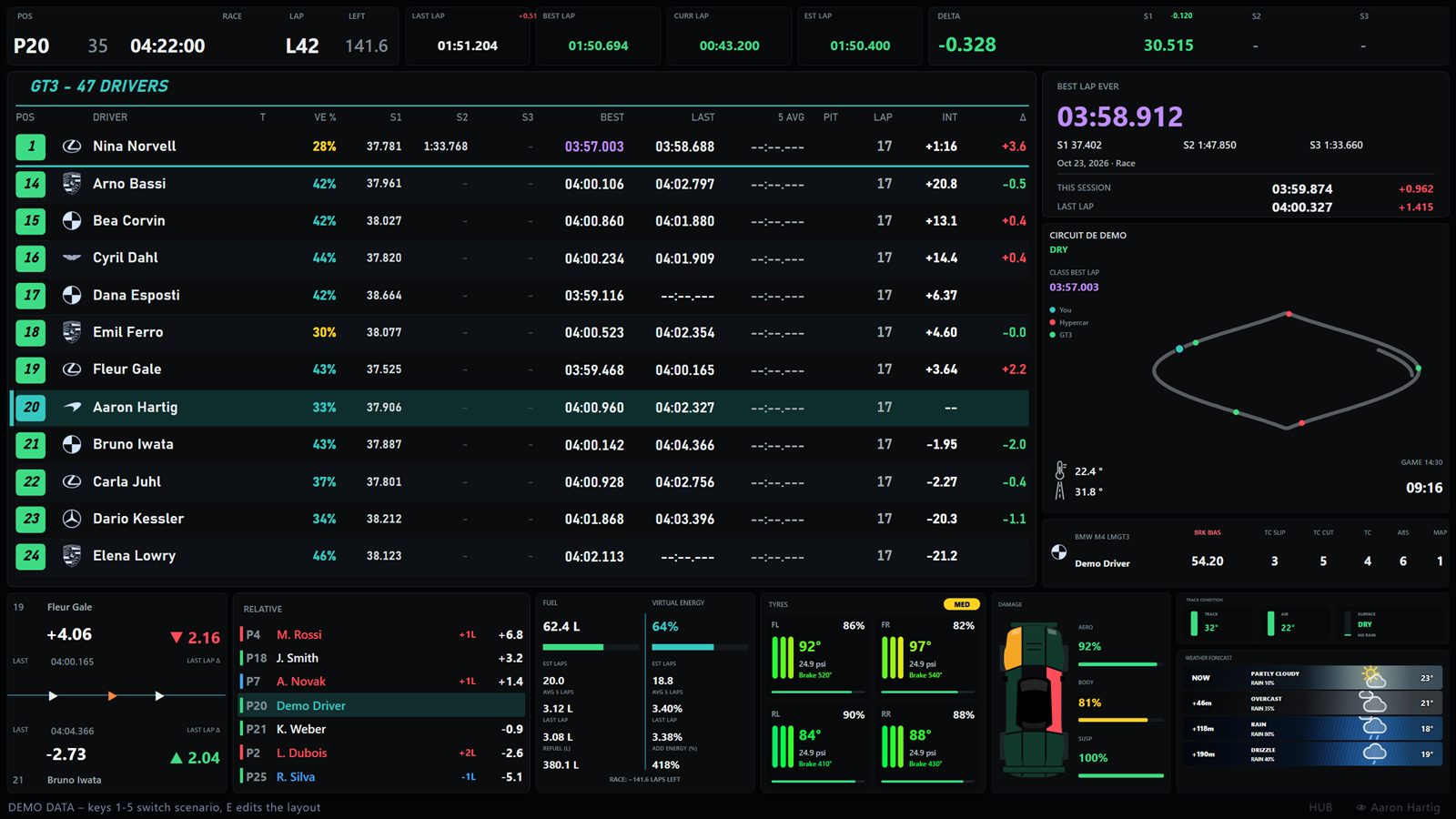
Everything between the green flag and the chequered one
Race Control
Your dashboard, built from widgets: standings, relative, gaps, fuel and virtual energy, tyres, damage, track map, weather, the race prediction. Move and resize them, keep several views, put one on a tablet.
- Follows your team-mate's car when you're not driving
- Fits any screen shape, full screen in one click
- Hotkeys and wheel buttons that work while you drive
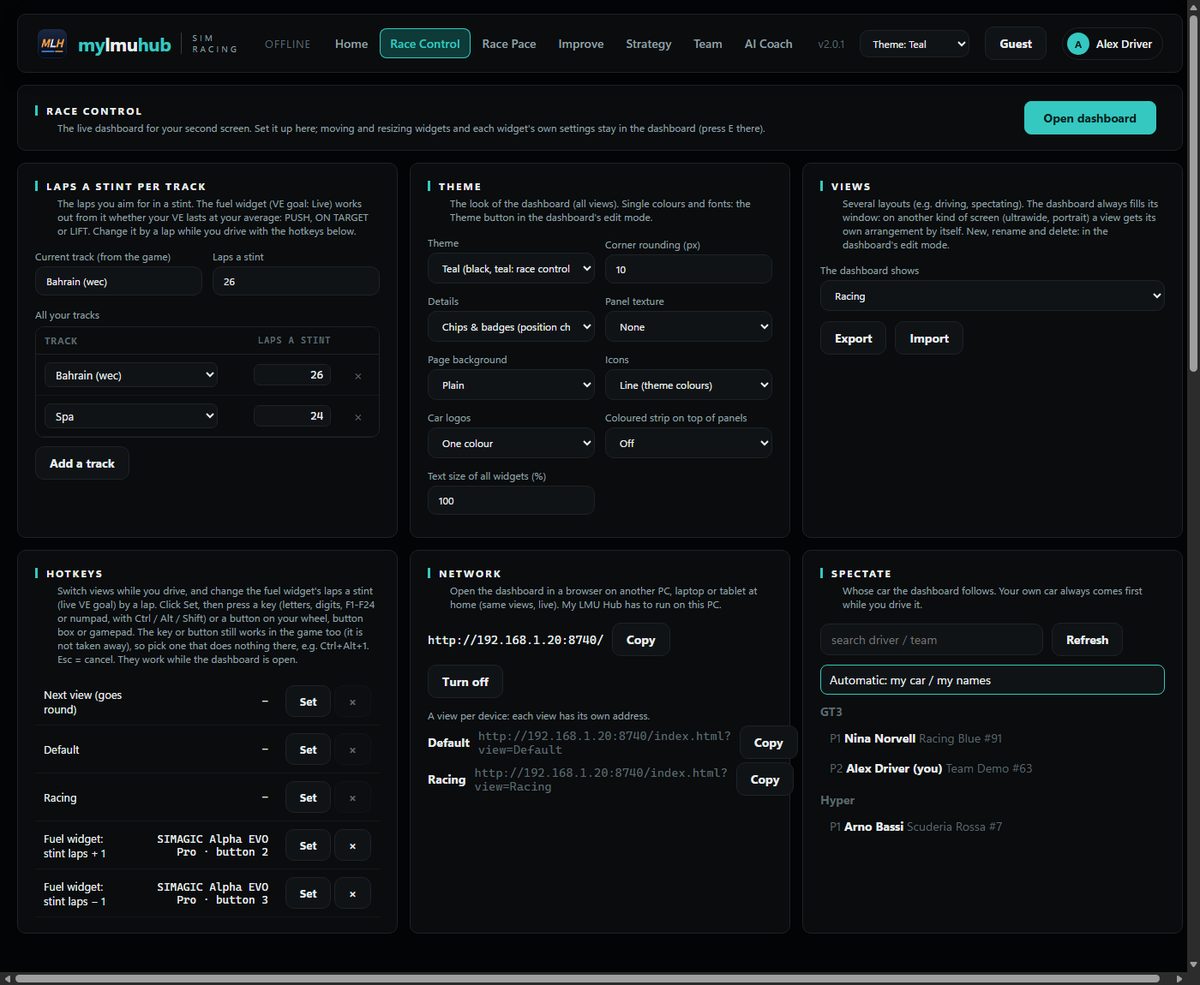
Race pace and your level
Every lap you drove, from the game's own result files: your race pace and best lap on every track and car, against the alien times. Alien, Competitive, Good, Midpack: you see where you stand and how it moves.
- Per track, class and car, every layout on its own
- Improve: what to work on next, turn by turn
- Guest mode when a friend drives on your rig
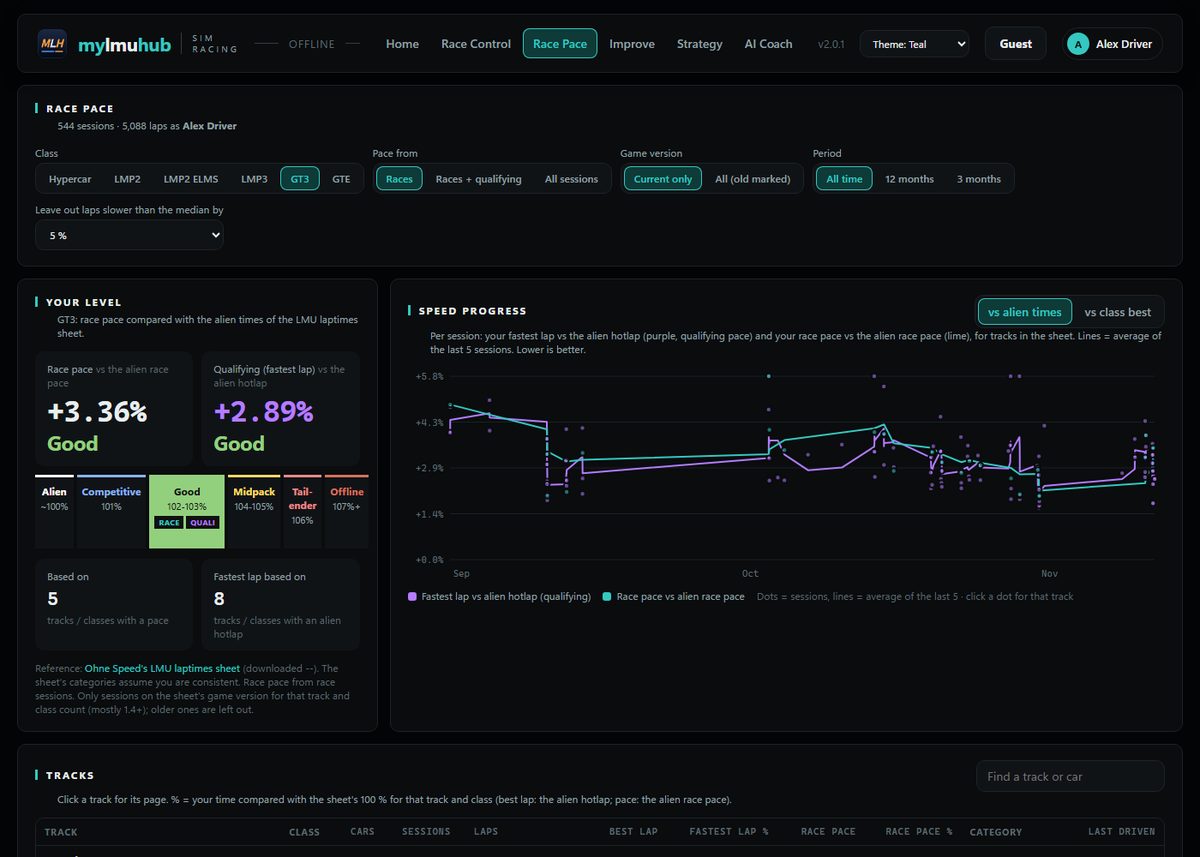
Endurance strategy, live
Plan the race from the sessions you drove: stint lengths, virtual energy and fuel per lap, who drives when. During the race the plan follows the real laps: pit times on your own clock, a VE target, and whether repairing damage is worth the stop.
- Driver line-up with lap times from your team
- Top speed watch for aero damage
- Tyre age in the predictions
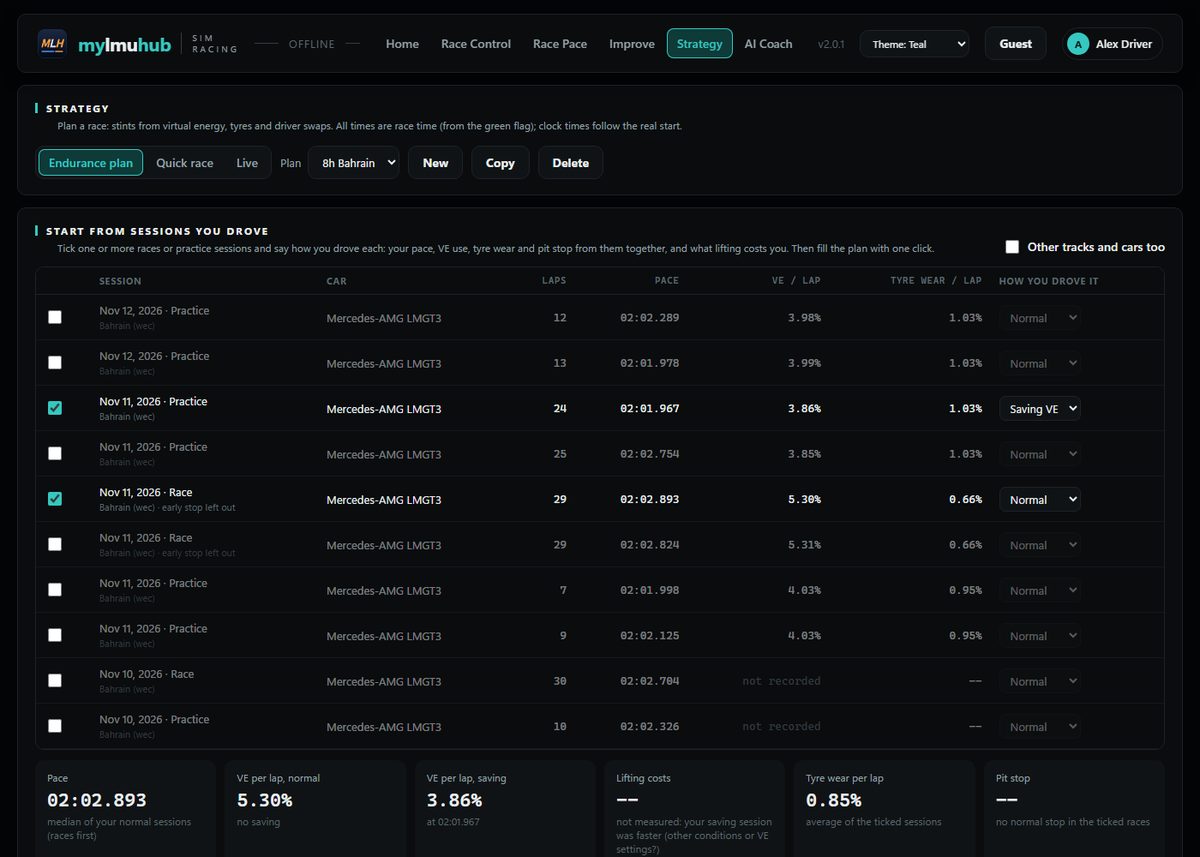
Review every race
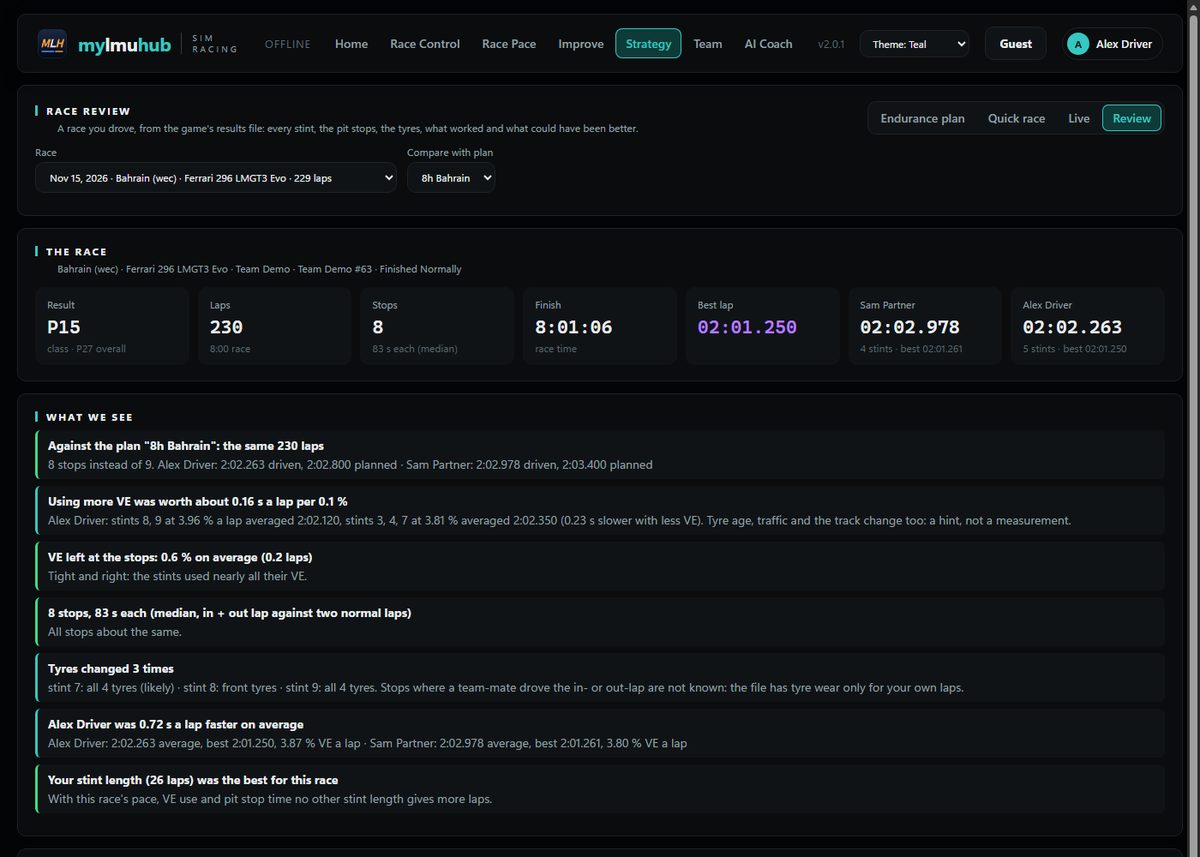
After the flag: every stint and every lap, the stops and what they cost, who was faster and with how much energy, and the race again with other stint lengths. Plain findings, not just numbers.
- Stints, laps, stops, tyre changes
- What if: the best stint length for that race
- The same review for your team's races
Race as a team
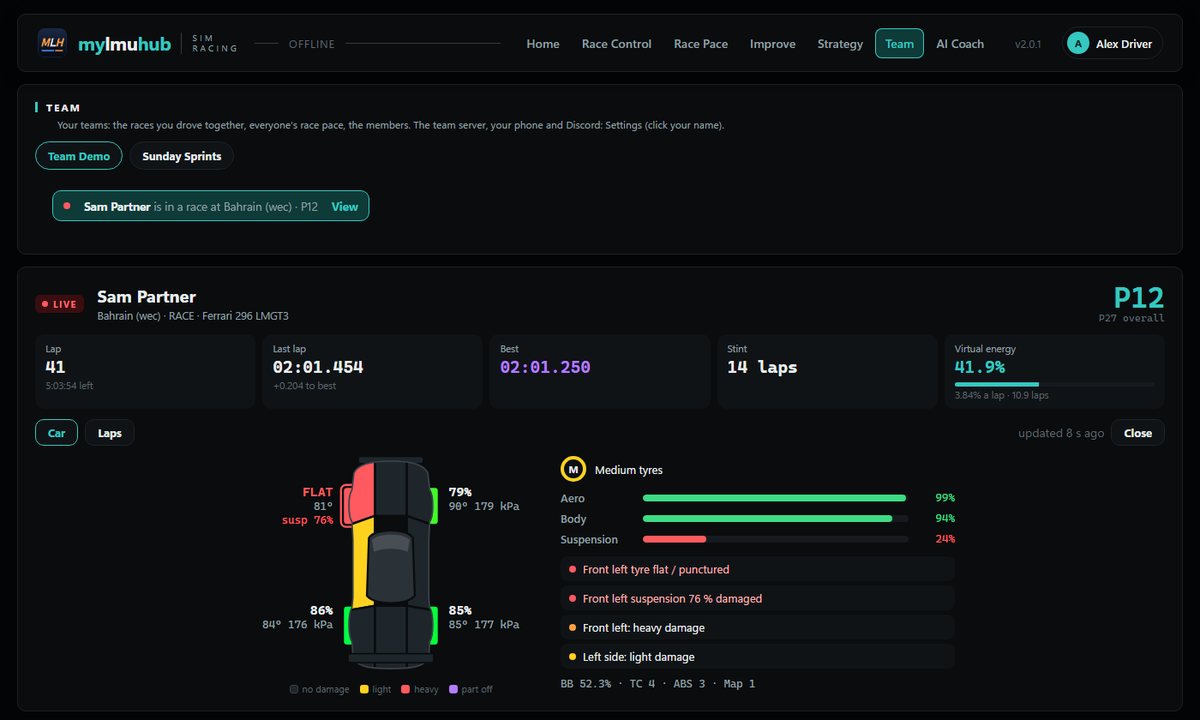
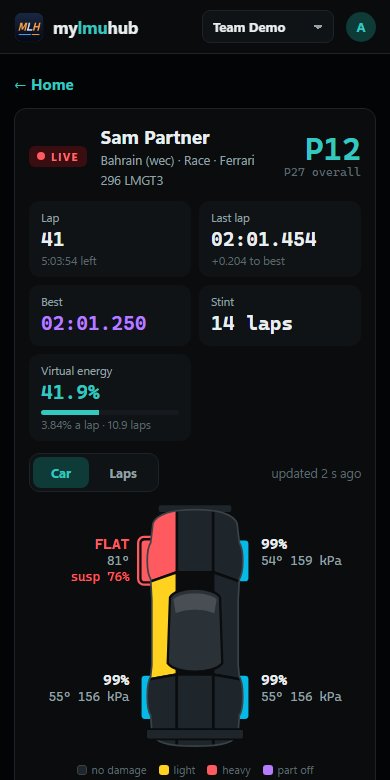
Join your team with an invite code. Team races find their way in by themselves, everyone's race pace is shared per track and car, and when a team-mate is racing you see their car live: position, laps, virtual energy, tyres and exactly what is damaged.
- Roles: driver, engineer, owner
- Exact data while spectating a team-mate
- Only plain, checked data on the server
Your team in your pocket
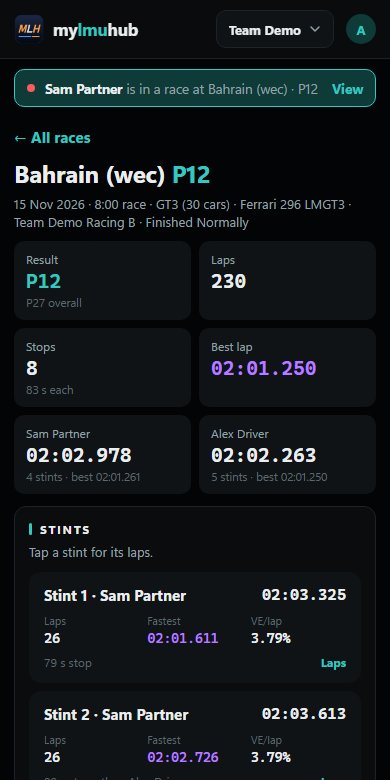
The website works like an app on your phone: your team's races with their full review, everyone's race pace, your own stats, and your team-mates' live races. Log in with Discord or a code from the desktop app, and install it on your home screen.
Open the web app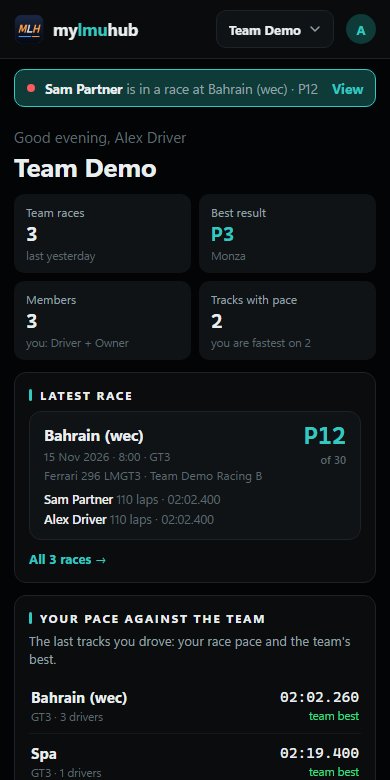
Small things that matter at 3 a.m. in a 24‑hour race
Racing in three steps
- DownloadGet
MyLMUHub.exefrom the latest release and put it in a folder of your own, such as Documents\MyLMUHub. It updates itself. - Your nameStart it, click your name in the top right and enter your driver name exactly as the game shows it.
- RaceStart Le Mans Ultimate and join a session. Race Control → Open dashboard, drag it to your second monitor, Full screen.
Windows 10 or 11 with the Microsoft Edge WebView2 Runtime (already on Windows 11 and most Windows 10 PCs).